
Sync Your Experience with シンクロPlus
Overview
シンクロPlus is a mobile application designed to enhance the interaction with Love Cosmetics’ "シンクロ" product line. Built specifically for iPhone users, the app serves as a digital companion that brings new levels of control and engagement to the physical device. Its primary purpose is to allow users to manipulate the rotation and motion of the product through intuitive smartphone-based inputs. The app addresses the need for personalized, immersive experiences by offering multiple control modes that respond to touch, motion, voice, and gesture-based inputs.
Target users include fans of Love Cosmetics’ "シンクロ" series, as well as individuals seeking interactive, playful, and customizable experiences through their mobile devices. The app enables real-world usage scenarios such as personalized wellness sessions, sensory engagement, and interactive entertainment. While the developer is not detailed beyond the brand name, the application reflects a focus on user-centric design and seamless integration with a physical product.
Users can explore different modes to suit their preferences, from gentle motion adjustments to dynamic, responsive interactions. The app does not provide information on system requirements or performance metrics, but its functionality is clearly tied to the physical product’s capabilities.
Key Features & Capabilities
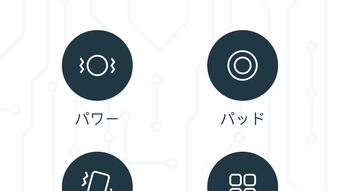
- Power Mode – Adjusts the intensity and direction of rotation using a dedicated control interface. Users can independently set left or right rotation strength, enabling precise customization of motion.
- Pad Mode – Offers touch-based control where the direction and speed of rotation are determined by the user’s finger movements on the screen. This mode supports both left and right adjustments for responsive interaction.
- Shake Mode – Activates rotation through physical shaking of the iPhone. This intuitive method allows for quick, spontaneous control without requiring direct touch.
- Pattern Mode – Enables users to combine predefined rotation patterns to create complex, fluid movements. This feature supports layered motion sequences for enhanced sensory experience.
- Draw Mode – Allows users to sketch curves on the screen, with the physical product mirroring the drawn path. The rotation direction and intensity are adjustable for left and right movements.
- Voice Mode – Synchronizes the product’s rotation with the user’s voice, introducing an interactive layer where vocal input controls motion dynamics.
Each feature is designed to offer a distinct way to engage with the product, making the experience more dynamic and personal. These modes can be used individually or in combination, depending on the user’s desired level of interaction. The app’s structure supports both casual play and intentional, mindful use, making it suitable for relaxation, entertainment, or sensory exploration.
User Interface, Workflow & Performance
The user interface of シンクロPlus appears to be centered around intuitive, gesture-driven navigation. The layout likely features clearly labeled control panels for each mode, with visual feedback to indicate active settings and real-time adjustments. Navigation between modes is expected to be smooth, with minimal steps required to switch functions or modify parameters.
Workflow efficiency is supported by the app’s direct mapping between user input and device response. For example, drawing a curve on the screen immediately influences the product’s motion, creating a responsive and immersive experience. The app’s performance is not detailed in available information, but based on its design, it likely operates with low latency to maintain synchronization with physical movement.
Stability and resource usage were not specified. The developer did not provide exact performance details or CPU/RAM behavior. General software behavior patterns suggest efficient operation, but specific data remains unavailable. The app’s functionality depends on the physical product’s compatibility and the iPhone’s connection stability.
Compatibility & System Requirements
シンクロPlus is compatible with iPhone devices and requires iOS to function. The software version is 1.0, and the installation size is 100 MB. The developer did not specify additional hardware or system requirements beyond the operating system.
Compatibility information is limited to the iPhone platform. No details were provided regarding supported iOS versions, minimum device models, or network dependencies. The app’s functionality appears to rely on a stable Bluetooth or wireless connection to the "シンクロ" product, though exact connection protocols were not disclosed.
Exact system requirements were not listed. Users should ensure their iPhone meets standard compatibility standards for modern mobile applications. The app may require access to microphone and motion sensors for full functionality, but this was not confirmed.
Pros and Cons
Pros
- Multiple intuitive control modes for diverse user preferences
- Real-time synchronization between phone input and physical device
- Interactive features like voice and gesture control enhance engagement
- Designed for seamless integration with Love Cosmetics’ "シンクロ" product line
- Free to download and use, with no in-app purchases mentioned
Cons
- Requires a compatible "シンクロ" physical product to function
- Compatibility with specific iPhone models was not specified
- No information on battery usage or background performance
- Platform limited to iPhone, with no support for other devices
- Exact connection stability or error handling details were not provided
FAQ Section
Is シンクロPlus compatible with all iPhone models?
Compatibility information is limited. The app is designed for iPhone devices, but specific model requirements were not provided by the developer.
Does the app require a physical "シンクロ" product to work?
Yes. シンクロPlus is intended to control and interact with Love Cosmetics’ "シンクロ" products. The app cannot function without the compatible hardware.
Is the app safe to use on my iPhone?
The app is available for free and appears to be designed for personal, interactive use. No security risks were mentioned, but users should ensure they download it from official app sources.
Are there any updates or future features planned?
Information about updates or upcoming features was not included in the provided details. Users should check the app store for version history and developer announcements.
Can I use the app offline?
While the app’s functionality depends on the physical product, it may operate in limited offline modes. However, specific details about offline capabilities were not specified.
Final Thoughts + CTA
シンクロPlus delivers a unique and interactive experience for users of Love Cosmetics’ "シンクロ" products. With a variety of control methods—from touch and voice to gesture and motion—the app transforms a physical device into a responsive, personalized tool. Its intuitive interface and real-time feedback make it ideal for both casual users and those seeking deeper engagement.
Although system details and performance metrics are limited, the app’s design emphasizes ease of use and immersive interaction. It stands out as a well-thought-out companion app that enhances the product experience without unnecessary complexity.
For fans of the "シンクロ" series and anyone interested in interactive, sensory-driven technology, シンクロPlus offers a compelling reason to explore the full potential of their device. Download シンクロPlus now to unlock a new dimension of control and connection.







